The best iPad wallpaper size is a square image whose sides match the longest edge of your screen. For an 11-inch iPad Air or the iPad (A16) that is 2360 × 2360 pixels; for a 13-inch iPad Pro with M4 or M5 it is 2752 × 2752. A square file covers the whole display with the iPad held upright or on its side, so nothing gets stretched or left blank.
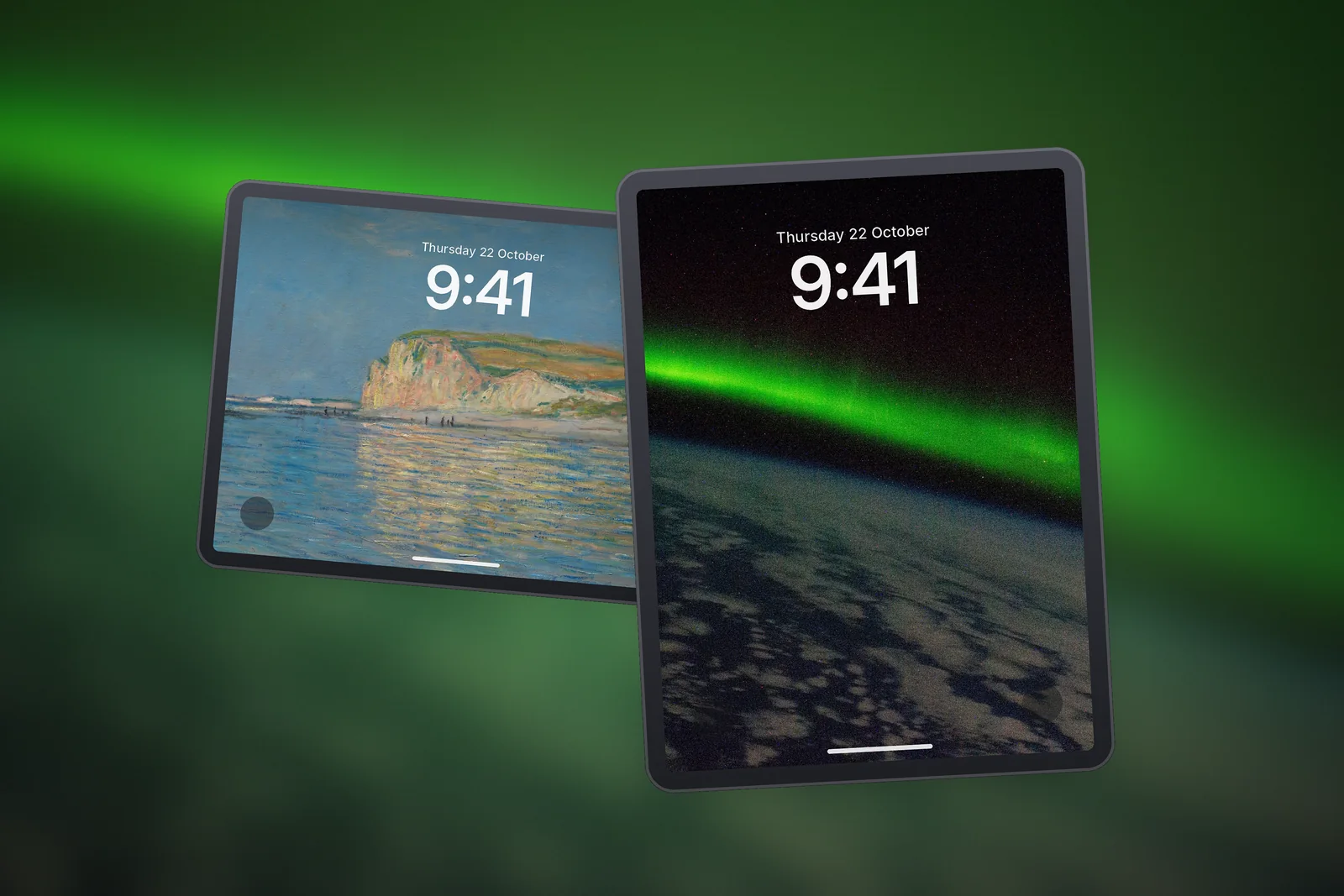
Below is the full list of sizes, an explanation of why square works better than a plain screen-shaped picture, and the quickest way to check which iPad you own.
In short
- Rule of thumb: square file, each side equal to the long edge of the screen in pixels.
- 13-inch iPad Pro (M4 and later): 2752 × 2752. 13-inch iPad Air: 2732 × 2732.
- 11-inch iPad Pro (M4 and later): 2420 × 2420. 11-inch iPad Air and iPad (A16): 2360 × 2360.
- iPad mini (A17 Pro and 6th gen): 2266 × 2266. 10.2-inch iPad: 2160 × 2160.
- Not sure of your model? Settings → General → About → Model Name.
iPad wallpaper sizes for every model
Every iPad wallpaper on our iPad wallpapers page is cut to these six square sizes. Pick the row that matches your model and download that file.
| iPad model | Screen (native pixels) | Wallpaper size (pixels) |
|---|---|---|
| iPad Pro 13-inch (M4 and later) | 13-inch, 2752 × 2064 | 2752 × 2752 |
| iPad Air 13-inch / iPad Pro 12.9-inch | 13-inch, 2732 × 2048 | 2732 × 2732 |
| iPad Pro 11-inch (M4 and later) | 11-inch, 2420 × 1668 | 2420 × 2420 |
| iPad Air 11-inch / iPad (A16) / iPad 10th gen | 11-inch, 2360 × 1640 | 2360 × 2360 |
| iPad mini (6th gen and later) | 8.3-inch, 2266 × 1488 | 2266 × 2266 |
| iPad 10.2-inch (7th to 9th gen) | 10.2-inch, 2160 × 1620 | 2160 × 2160 |
If you searched for the iPad wallpaper size for 11 inch models, there are two answers. The iPad Pro 11-inch (M4 and later) has a sharper Tandem OLED panel at 2420 × 1668 and takes 2420 × 2420. The iPad Air 11-inch, the iPad (A16) and the 10th-generation iPad share one 2360 × 1640 screen, so they all take 2360 × 2360.
Why square files work in portrait and landscape
An iPad screen is a rectangle, but you turn it all day. In portrait the long edge runs top to bottom; in landscape it runs left to right. The wallpaper rotates with the device, so a picture shaped exactly like the screen in one direction would be too narrow in the other.

A square image solves this. Its width and height both equal the longest edge of your screen, so in either orientation the display shows a full-height, full-width slice of it. iPadOS simply crops the sides or the top and bottom, depending on how you hold it, and the result stays sharp because nothing has to be enlarged.
- Portrait: you see the centre of the square, full height, with the left and right edges trimmed.
- Landscape: you see the centre again, full width, with the top and bottom trimmed.
- Either way: the image is shown at its native pixels, so fine detail stays crisp.
That is why the main subject of a good iPad wallpaper sits near the middle. A horizon, a flower or a planet in the centre survives both crops; something tucked into a corner may disappear when you rotate.


How to find which iPad you have
Model names on the back of the case are tiny and easy to misread. The quickest check is inside the iPad itself.
- Open Settings.
- Tap General, then About.
- Read the Model Name line, for example iPad Air 11-inch (M2) or iPad mini (A17 Pro).
- Match that name to the table above and note the pixel size.
If the Model Name line shows a generation rather than a screen size, look at the second column of the table: the 10.2-inch models are the 7th to 9th generation, and every iPad mini from the 6th generation onwards uses the 8.3-inch screen.
How to set a wallpaper on iPad
Once the file is saved to Photos, setting it takes less than a minute. The iPad uses the same Lock Screen editor as the iPhone, so our guide to setting an iPhone wallpaper applies almost word for word.
- Open Settings and tap Wallpaper.
- Tap Add New Wallpaper, then Photos, and choose the image you downloaded.
- Pinch to zoom and drag to frame it. Rotate the iPad to see how it looks in the other orientation.
- Tap Add, then pick Set as Wallpaper Pair to use it on both screens, or Customise Home Screen to use a blurred version or a different photo.
- Lock the iPad and wake it to check the clock and widgets sit where you want them.
You can also start from the Photos app: open the picture, tap the Share button and choose Use as Wallpaper. On the Lock Screen itself, touch and hold an empty area, tap Customise to change the current wallpaper, or tap the + button to create a new one.
Avoid zooming in a lot while framing. Every pinch enlarges the picture and throws away pixels, so a file that was sharp at its native size can start to look soft.
What happens if you use the wrong size
A wallpaper that is smaller than your screen has to be scaled up, and enlarged images look blurry, especially around text, stars and fine branches. A wide 16:9 desktop picture will lose most of its sides in portrait. A tall phone wallpaper will lose most of its top and bottom in landscape.

A file that is bigger than you need is less of a problem: iPadOS scales it down without losing sharpness. That is why the 13-inch file works on an 11-inch iPad in a pinch. The exact size is still the better choice because it is smaller to download and is framed for your screen.
- Too small: soft, blurry detail after upscaling.
- Wrong shape: heavy cropping when you rotate the iPad.
- Exact square size: pixel-for-pixel sharp in both orientations.
Looking for calm scenery to try first? The iPad nature wallpapers have plenty of centred landscapes that hold up well in both orientations.
Read next: Wallpaper Resolution Guide: What Size Do You Need? and MacBook Wallpaper Size: Native Resolutions for Every Mac.
Quick answers
What is the best wallpaper size for iPad?
Use a square image matching your screen's longest edge: 2360 × 2360 for the iPad Air 11-inch and iPad (A16), 2752 × 2752 for the 13-inch iPad Pro (M4 and later), and 2266 × 2266 for the iPad mini.
What is the iPad wallpaper size for 11 inch models?
The iPad Pro 11-inch (M4 and later) takes 2420 × 2420. The iPad Air 11-inch, iPad (A16) and 10th-generation iPad take 2360 × 2360.
Do I need different wallpapers for landscape and portrait?
No. A square wallpaper at your model's size fills the screen in both orientations, and iPadOS crops it automatically when you rotate the device.
What size is an iPad mini wallpaper?
2266 × 2266 pixels. Every iPad mini from the 6th generation on, including the A17 Pro model, has an 8.3-inch 2266 × 1488 screen, and the square file covers it in both orientations.
Can I use a 13-inch iPad wallpaper on an 11-inch iPad?
Yes. iPadOS scales the larger square down without losing sharpness, so it works in a pinch. The exact size for your model is a smaller download and is framed for your screen.