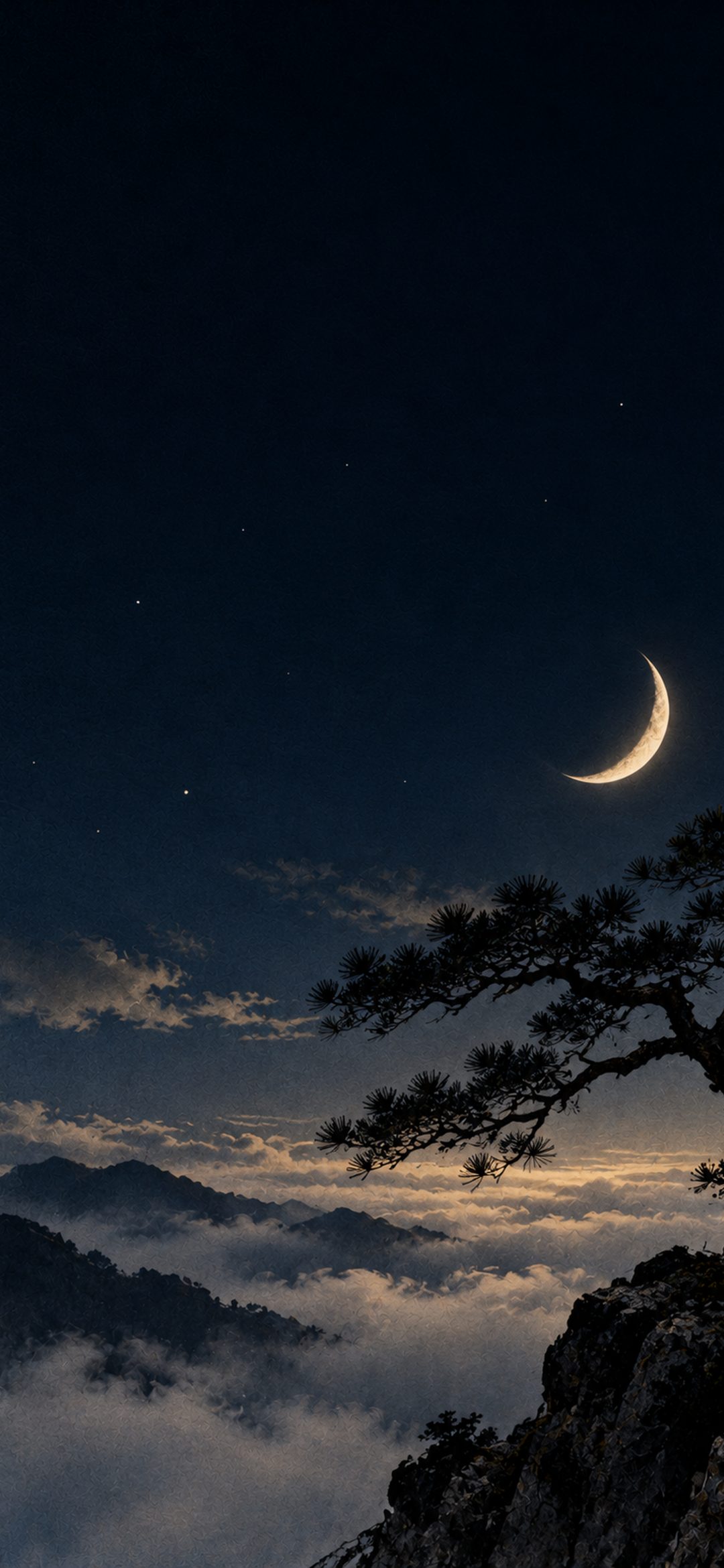
Extend Wallpaper is the Lock Screen option that fills the gap when a photo doesn't cover the whole screen. It only does anything when there is a gap to fill, which is why it seems missing on one photo and switches itself back on with another: zoom out far enough to leave space at the top, and iOS extends the picture again. In iOS 27, iPhones with Apple Intelligence also get an AI Extend button that paints in new scenery instead of blurring the edge.
In short
- Extend Wallpaper only acts when the photo doesn't fill the screen at the size and position you chose.
- To get rid of it, untick Extend Wallpaper under More (…) in the Lock Screen editor, then zoom in until the photo covers the screen.
- It comes back whenever the photo leaves a gap, so the lasting fix is a picture shaped like your screen.
- The AI Extend button in iOS 27 needs an iPhone with Apple Intelligence (iPhone 15 Pro, iPhone 16 or later).
- Apple's iPhone User Guide doesn't describe the Lock Screen switch, so labels can differ between iOS versions.
What Extend Wallpaper does
There are two versions, and they behave differently.
The older one fills the empty strip with a soft, blurred continuation of the photo. According to macReports, it arrived with iOS 17: when a chosen photo isn't sized to fill the entire screen, the blur comes in to "extend" it. iDownloadBlog found the same behavior in iOS 26, which blurs the top of a wallpaper by default if the image is extended even a little.
The newer one uses Apple Intelligence. MacRumors and 9to5Mac report that in iOS 27, when a photo is cropped too tightly or doesn't match the iPhone's aspect ratio, the Lock Screen editor offers Extend and generates new image content around the edges. iDownloadBlog notes that the generated picture is used only for the wallpaper; the photo in your library stays as it was.
The Photos app has its own Extend tool in iOS 27, under Edit › Tools › Extend, which Apple documents in its iPhone User Guide. That one changes the photo itself, and we cover it in a separate guide.
Why Extend Wallpaper is missing
| Situation | What you see | What to do |
|---|---|---|
| The photo already fills the screen | No extension, or the option is off | Nothing: there is no gap to fill |
| Not a photo wallpaper (Emoji, Color, Weather) | No option at all | Choose a photo from Photos |
| iPhone without Apple Intelligence | No AI Extend button | Crop the photo to the screen's shape instead |
| Daily limit reached | Extend doesn't run | Try again later |
| Picture can't be extended | No result | Pick another photo or crop it |
Apple's guide says the editing options "depend on the wallpaper you choose," so built-in styles like Emoji or Color don't offer photo tools. For the AI button, Apple lists Apple Intelligence on iPhone 15 Pro, iPhone 15 Pro Max, iPhone 16 models and later, iPhone Air and iPhone Duo, with the device and Siri set to the same supported language. Apple also says its photo editing tools that rely on server-side models have daily usage limits; iDownloadBlog reports a daily limit on extended wallpapers too, and that not every image can be extended.
To make the AI button appear on a supported iPhone:
- Open the photo in Photos, tap Share, then tap Use as Wallpaper.
- Pinch closed to zoom out until the photo no longer covers the whole screen.
- Tap Extend when it appears and wait for it to finish.
- Tap Add, then Set as Wallpaper Pair.
How to turn Extend Wallpaper off
Based on iDownloadBlog's steps for iOS 26:
- Touch and hold the Lock Screen, then tap Customize and choose the Lock Screen.
- Tap More (…) at the bottom right.
- Untick Extend Wallpaper.
- Pinch open to zoom in until the photo covers the whole screen, then tap Done.
Step 4 matters. On iOS 17.1, macReports found that the setting simply follows the photo: it is off when the photo fills the screen and on when it doesn't. Untick it but leave a gap, and the extension returns.
For the AI version, the original photo stays in your library, so you can set it again and simply skip Extend.
Why it keeps turning back on
Extend Wallpaper isn't switching on at random. It returns in three situations:
- You zoomed out again. Any pinch that shows the full width of a photo can open a gap at the top.
- iOS 27 suggested it. According to 9to5Mac, iOS 27 automatically suggests Extend when a photo doesn't match the screen's aspect ratio.
- A Focus switched Lock Screens. Apple says a Lock Screen linked to a Focus appears whenever that Focus is on, so an older, extended copy of the same photo can come back. Our post on greyed-out wallpaper options explains how to check the link.
Why it shows on photos that seem to fit
Most pictures are shorter, in proportion, than an iPhone screen. Apple lists the iPhone 17's display at 2622 by 1206 pixels, a tall shape that our iPhone wallpaper sizes guide describes as about 19.5:9.
- Camera photos: Apple's Camera shoots in 1:1, 4:3 or 16:9. Even an upright 16:9 photo is shorter than the screen in proportion, so iOS fills the screen by zooming in and cropping the sides. Pinch out to see the whole photo and a gap opens.
- Older phone wallpapers: a 1080 × 1920 picture has the 16:9 shape of iPhone 8 and iPhone SE screens. Shown at the full width of an iPhone 17, it is 2144 pixels tall, about 82% of the screen's 2622, which leaves almost a fifth to extend.
- Square and landscape pictures leave an even bigger gap.
A wallpaper made at your iPhone's exact resolution fills the screen with nothing to extend. Every iPhone wallpaper on this site is cut to each model's screen; check which iPhone you have, then pick the matching size. Calm pictures with open sky also hide small crops well:
 Dark Night Sky Crescent Moon & Tiny Stars
 Silver Fog Layers
 Alpine Mountain Lake Reflection & Pine Forest
 Peach Sorbet Gradient
If a picture still looks too zoomed in once it fills the screen, our guide to an iPhone wallpaper not fitting the screen covers cropping it yourself. A soft blur behind the clock that remains after all this is a different effect, explained in why an iPhone wallpaper looks blurry.
Quick answers
Why don't I see Extend Wallpaper on my iPhone?
It belongs to photo wallpapers and only does anything when the photo doesn't fill the screen. The AI Extend button in iOS 27 also needs an Apple Intelligence iPhone, such as iPhone 15 Pro or any iPhone 16 or later.
How do I turn off Extend Wallpaper?
Touch and hold the Lock Screen, tap Customize, tap More (…) and untick Extend Wallpaper. Then pinch open to zoom in until the photo fills the screen, or the extension comes back.
Why does Extend Wallpaper keep turning back on?
It switches on whenever the photo leaves a gap, for example after you zoom out to show the whole picture. In iOS 27 the editor also suggests Extend when a photo doesn't match the screen's aspect ratio, according to 9to5Mac.
Is Extend Wallpaper the same as Extend in Photos?
No. The Lock Screen option only changes the wallpaper, while Photos › Edit › Tools › Extend in iOS 27 edits the photo itself, which you can undo by tapping Reset in the same tool.
How do I stop a photo needing Extend at all?
Use a picture with the same shape as your screen. Most current iPhone screens are about 19.5:9, so a wallpaper made for your model's exact resolution fills the Lock Screen without any extension.
Sources
- Top of iPhone Wallpapers Blurred in iOS 17, macReports
- Vision Pro design Lock Screen wallpaper for iPhone, iDownloadBlog
- How to use AI to extend your iPhone wallpaper in iOS 27, iDownloadBlog
- iOS 27 Brings These Five New Features to Your iPhone Lock Screen, MacRumors
- iOS 27 adds four new ways to customize your iPhone's Lock Screen, 9to5Mac
- Create a custom iPhone Lock Screen, Apple
- Clean up, extend, and reframe photos on iPhone, Apple
- Get started with the next generation of Apple Intelligence, Apple
- Use iPhone camera tools to set up your shot, Apple
- iPhone 17 Technical Specifications, Apple